

How to Register for a Training
TTCP uses the University of Minnesota’s secure registration system (DORS) to manage course enrollments and maintain official training records.
1
Find course in catalog
.png)
Step 1: Browse the training catalog and select a course you want to attend.
2
Click “Register at umn.edu”
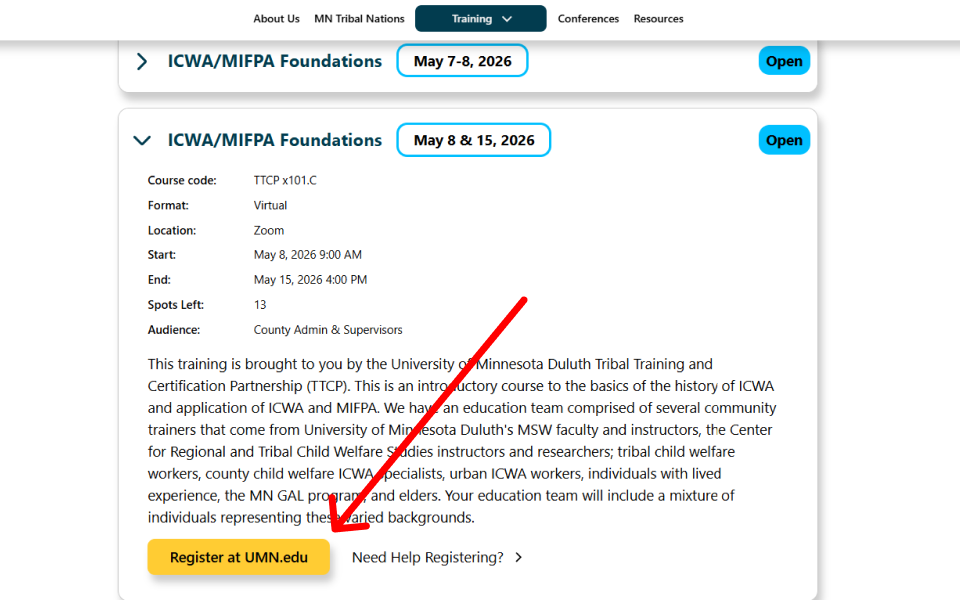
Step 2: Click the “Register at umn.edu” button to continue to the UMN system.
3
Select your course section
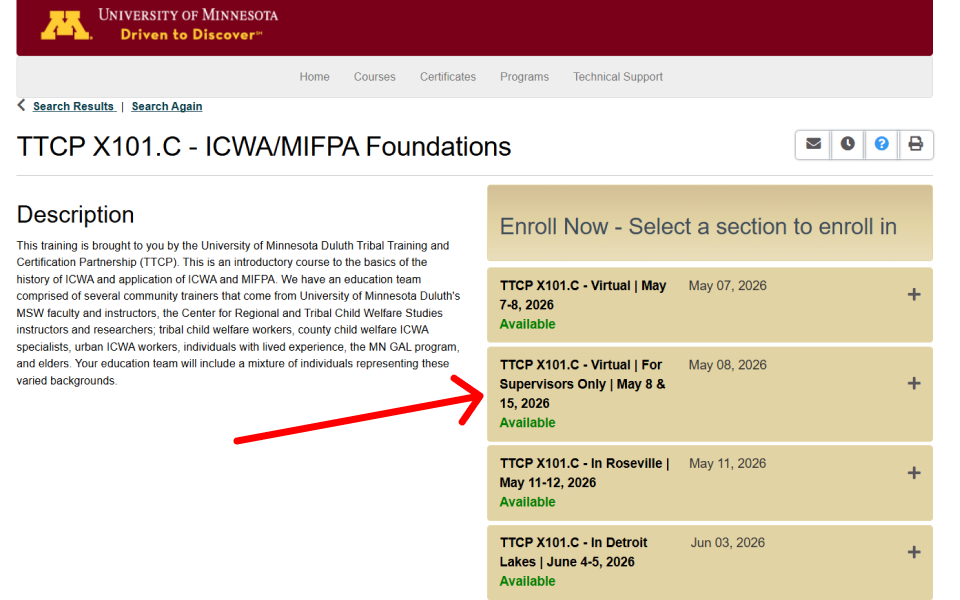
Step 3: Find and select the correct date and time for your preferred session.
4
Add to cart and click checkout
.png)
Step 4: Click "Add to Cart" and then proceed to your cart to begin checkout.
5
Log in or create a account
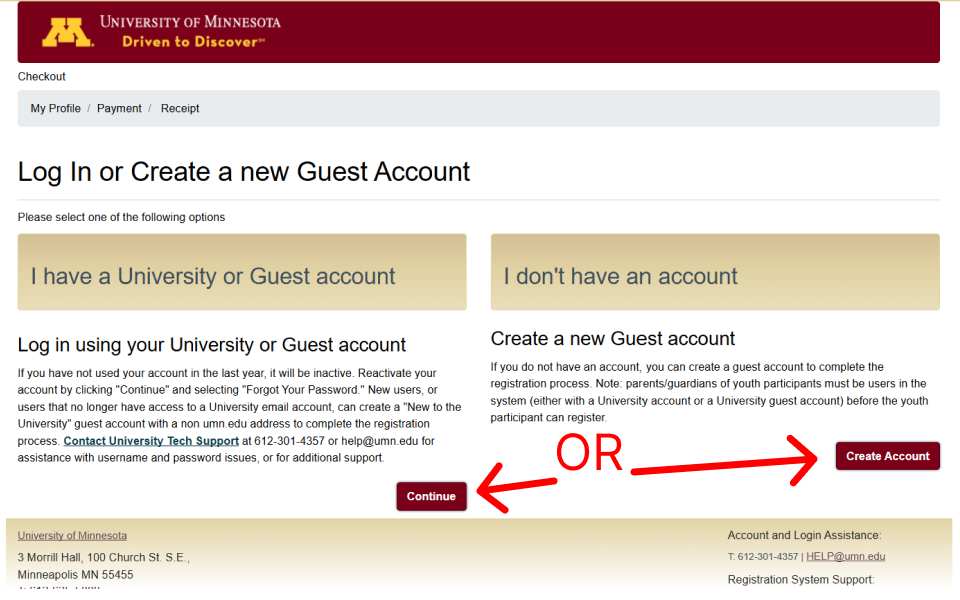
Step 5: Sign in with your UMN guest account, or create one if you don’t have it yet.
6
Complete checkout
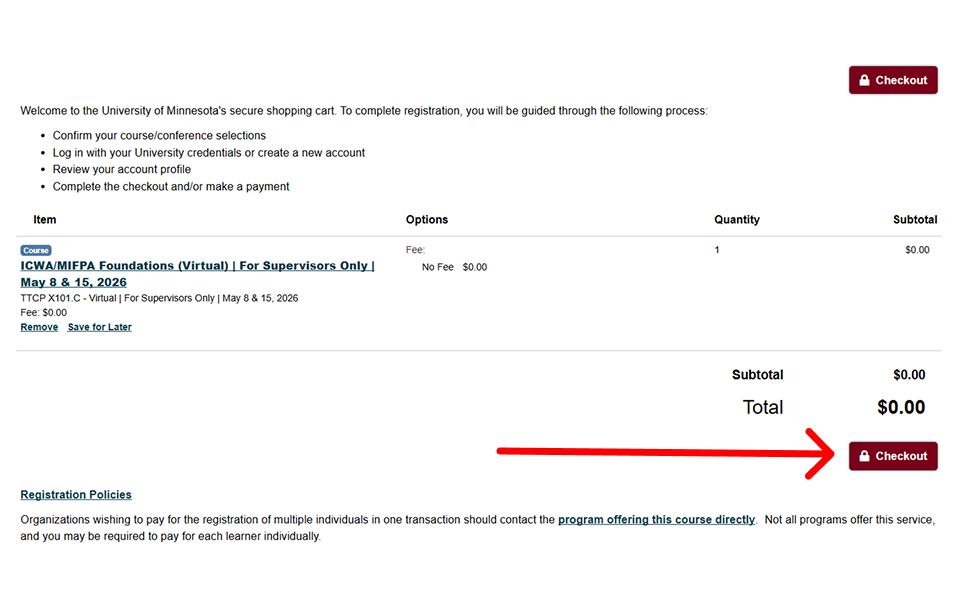
Step 6: Confirm your registration, send your receipt, and finalize checkout.
How-To Videos
Here are some How-To videos to support the process
Need Help?
Submit a support request and our team will follow up.
If this is about a training, include the course title and date.


.svg)
.svg)
.svg)